

How to Import a Real Estate Listing from a Link
Importing a property listing by link in Globihome lets agents move an ad from another portal in seconds without retyping the description, price, location, or photos. The guide explains how to add a listing from a URL step by step, what data the system can pull automatically, and which details must be checked before publishing. It also covers when to choose a public or private listing, common import mistakes, and how to improve the imported content for better SEO and stronger results in the Globihome real estate search engine.

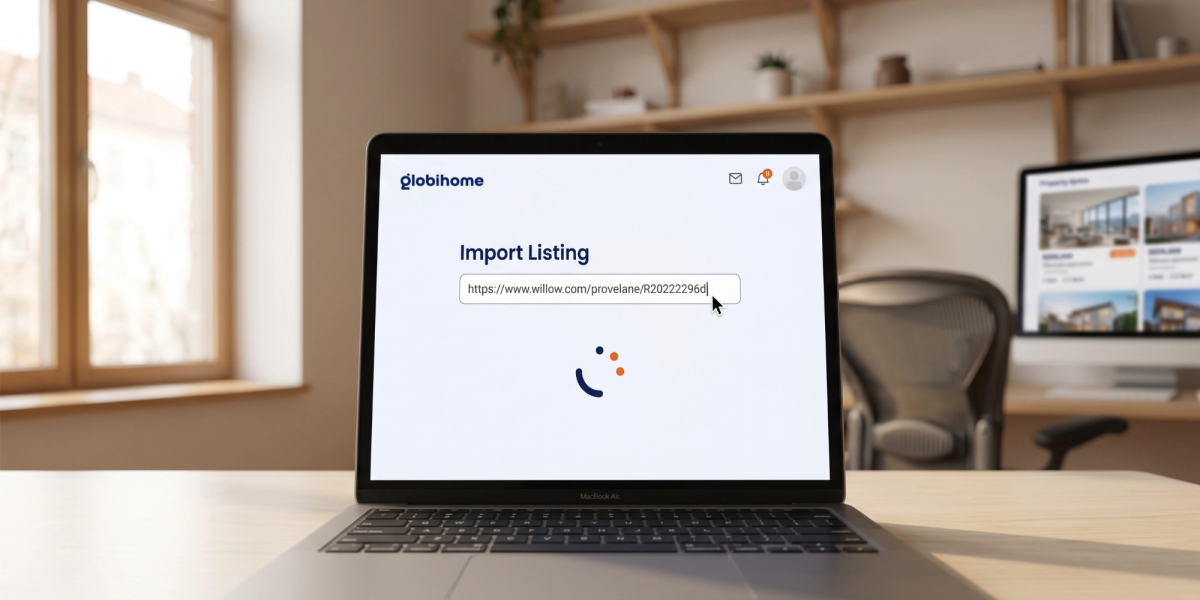
You paste the link, click “Import,” and within a few seconds you have a ready listing with description, photos, and price — without retyping a single letter. This is a feature that real estate agents across Europe are already using today to save time and publish listings on Globihome faster than on any other portal. In this guide, we show step by step, how to add a property listing using a link in Globihome why this solution changes an agent’s work, and what to pay attention to in order to import data without manually retyping every field.
Why importing a listing by link is a game changer for real estate agents
Administrative work is one of the biggest “time thieves” in the real estate industry. According to industry data agents spend 30–40% of their time on administrative tasks , including manually entering listing data into successive systems and portals (VA Masters, 2026). At the same time more than 87% of brokers and real estate agents actively use AI tools today supporting their daily work, including data entry automation (Delta Media, za Ascendix, 2026). The industry as a whole has also recognized this problem — that is why organizations such as RESO (Real Estate Standards Organization) have been working for years on standardizing listing data formats between systems so that importing and exchanging property information are faster and less error-prone.
Import a listing from a link eliminates the most time-consuming stage of adding an ad — manually retyping the description, price, area, location, and photos from an existing listing. The Globihome system automatically fetches this data from the provided URL. For an agent managing many listings on several platforms at once (own website, national portals, Globihome) this is a real time saver — time that can be spent on client contact and closing deals. If you want to scale the number of listings even faster, check out our pricing and plans for agents.
How to add a property listing using a link – step-by-step instructions
Below you’ll find full instructions for importing a listing from a link in the Globihome Studio panel. If you prefer detailed documentation, you can also find it in our Help Center.
- Go to studio.globihome.com.
- On the main panel, choose “Create new listing”.
- Click “Import from link”.
- Paste the full URL of the existing listing, e.g. https://portal.com/listing/123.
- If you are importing several properties, place each link on a separate line.
- Click “Import” and wait until the system fetches the listing data.
- Check the imported data, fill in any missing elements.
- Click Publish.
At one time, you can paste up to 20 links, which is why the feature is also suitable for the quick migration of small and medium-sized portfolios of listings.
What can be imported from a listing?
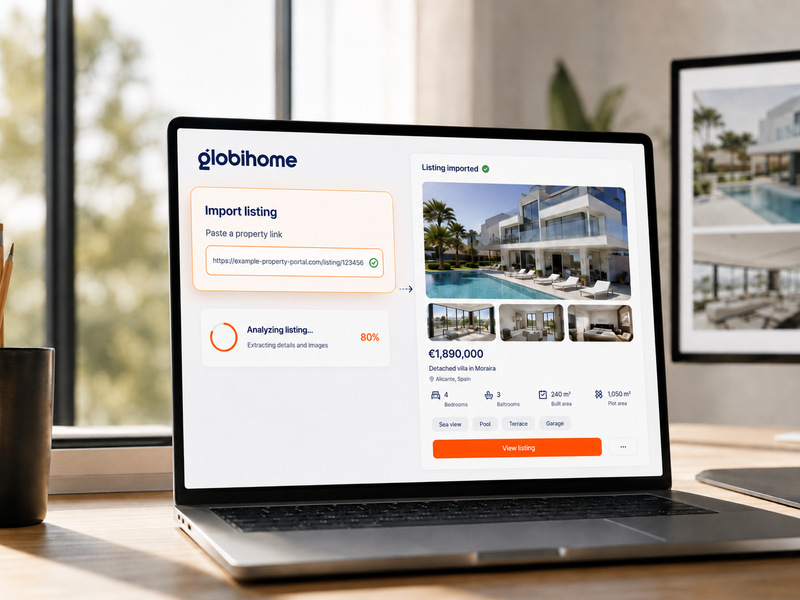
The scope of import depends on what information is publicly available on the source page and how it is structured. Globihome can identify, among others:
- property title and description,
- transaction type: sale or rent,
- property type,
- price and currency,
- location,
- area, number of rooms and other parameters,
- features and amenities,
- photos available with the listing.
If the source listing is incomplete, protected against automatic reading, or contains information only in images, some fields may need to be filled in manually.

What to verify after importing a listing
Automatic import significantly speeds up the work, but it does not eliminate the need to verify the data. An incorrect price, wrong location on the map, or outdated photos are the most common reason for inquiries from dissatisfied clients — and this is exactly how the listing will appear in the Globihome real estate search engine, where potential buyers from all over Europe will see it. Always check:
- transaction type — sale or rent (systems sometimes misclassify this parameter),
- location and map pin — whether it points to the correct address, not the city center,
- price and currency — consistency with the source listing, correct currency for the foreign market,
- area and number of rooms,
- completeness of the description — whether the text stops halfway through a sentence,
- photos and their order — whether the main photo actually shows the property,
- contact details — the agent's current phone number and e-mail.
Public or private listing? When to choose which option
Before you publish a listing, decide on its visibility. Public listing goes to the Globihome search engine and is visible to all users — it is the standard choice for most listings. Private listing is available only to people with a dedicated link — it works well for off-market transactions, exclusive listings, or when the selling client wants to maintain discretion until the official publication.
The most common mistakes when importing listings from a link
- Import from an outdated listing — the source listing may already be sold or rented.
- Skipping price verification — some portals display a “from” price or hidden fees.
- No SEO copy edit — copied descriptions are often duplicated on another site; it is worth rewriting them to make the content unique.
- Publishing without a preview — skipping this step is the most common cause of complaints.
How can you increase the effectiveness of a listing after import?
The imported description may have been prepared with the limitations of another portal in mind. It is worth improving it, starting with the property’s main selling point.
Instead of the generic title “Unique apartment”, use a specific one: “Two-bedroom apartment with sea view in Saranda”. In the first paragraph, include the price, area, location, type of transaction, and the main benefit.
Describe the facts: window orientation, terrace area, finish standard, distance from transport, and maintenance costs. Avoid unverified promises such as “guaranteed return” or “best investment”. More practical tips can be found in Globihome’s guide on effective property sales.
Photos should be sharp, up to date, and arranged in a logical order. Choose the shot that best presents the main advantage first. Remove duplicates, random photos, and materials with someone else’s watermark.
FAQ — most frequently asked questions about importing listings via link
Summary
Adding a property listing via link is one of the simplest tools that genuinely relieves agents from time-consuming administrative work. All you need to do is paste the URL of an existing listing, verify the imported data, and publish the listing — publicly or privately. Remember: automation speeds up the process, but the agent is responsible for the accuracy of the data presented to clients. If you manage many listings across different European markets, the link import feature in Globihome will save you real time — time you can devote to what matters most: building relationships with clients and closing deals.
Are you a real estate agent or agency and want to publish listings on Globihome? Create a free account and add your first listing via link.